- macOS
- Dotfiles
- Design
One colour for the whole Mac
How my dotfiles make every app read as one Rosé Pine surface, and why the same colour needs three different hex values to get there.

Muhammad Zhafran
Introduction
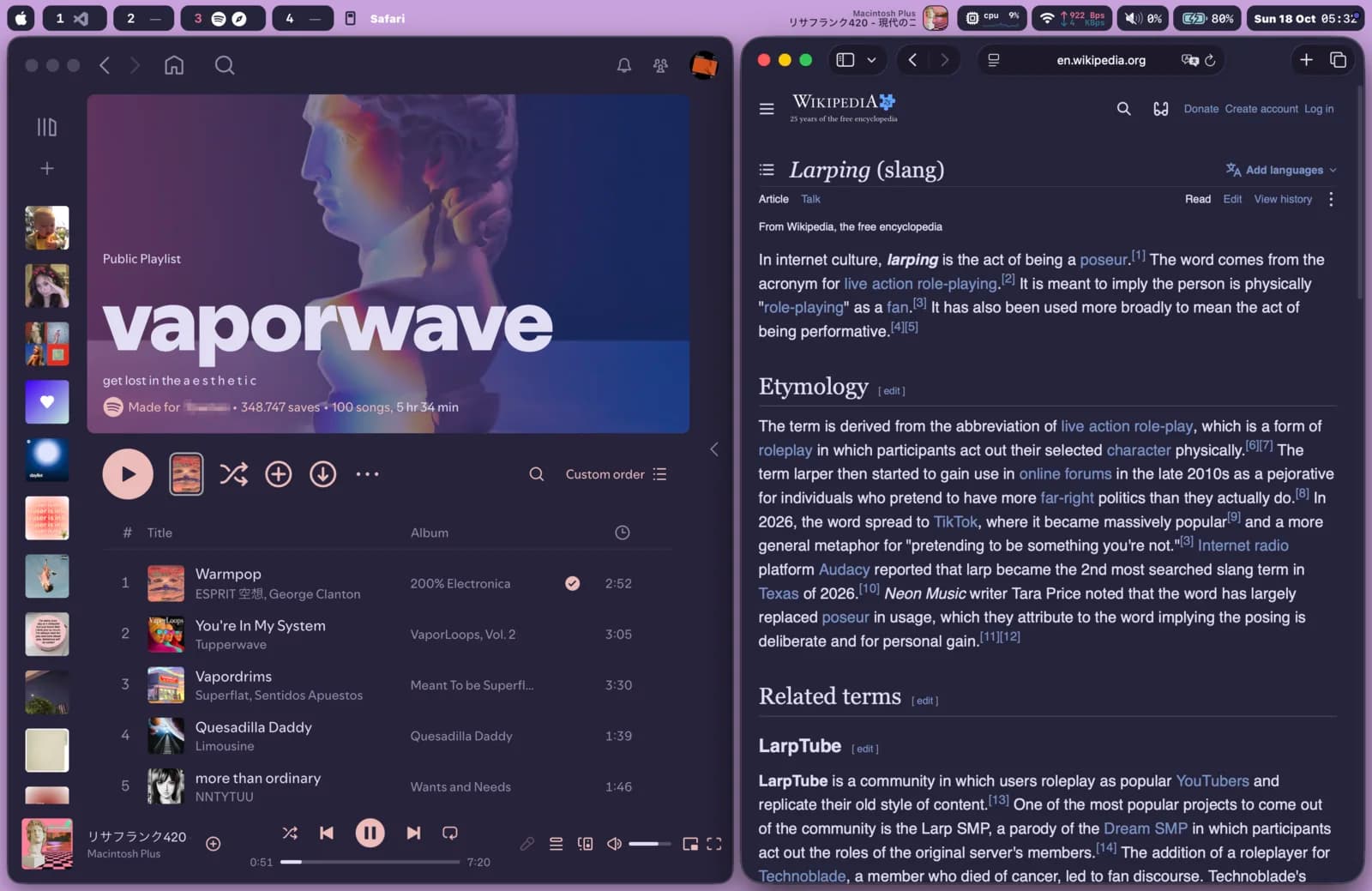
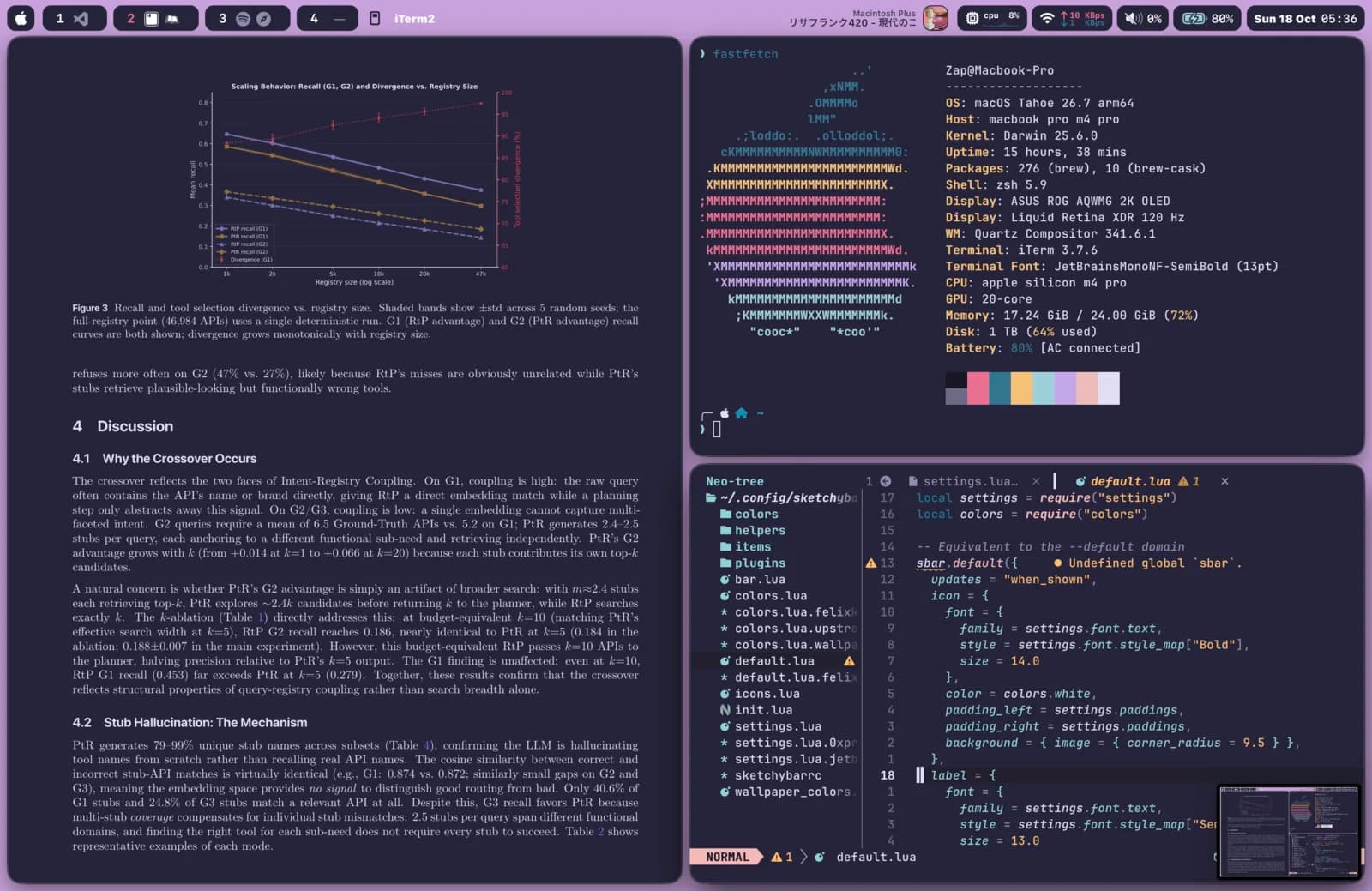
Most themed desktops look like a stack of themed apps: the terminal is purple, the editor is a slightly different purple, the browser is whatever it wants. I wanted the opposite. Every window on my Mac is the same Rosé Pine overlay, #26233a, so the terminal, the editor, the PDF reader, Spotify, and the browser read as one surface instead of five. The only thing allowed a different colour is the bar on top, and it takes that colour from the wallpaper.
The whole setup is public at github.com/zuppdev/dotfiles. These are the parts that took the most figuring out.
The stack
- Amethyst tiles the windows, and JankyBorders draws the border around the focused one.
- SketchyBar replaces the menu bar, configured in Lua. It started from Felix Kratz's dotfiles and has drifted a long way since.
- zsh with Starship, whose whole prompt is a single
❯. - Neovim on LazyVim, and VS Code for the days that need it.
- sioyek for PDFs, built from source with two patches of mine.
- Spotify through spicetify, Safari with a small extension, and Chrome through a managed policy.
JetBrains Mono Nerd Font everywhere, so the icons in the bar and the terminal come from one family.
Same colour, three hex values
Here's the part that surprised me. To get one colour on screen, I had to configure different numbers in different apps:
| App | Configured | On screen |
|---|---|---|
| iTerm2 | #26233a | #252338 |
| VS Code | #26233a | #262339 |
| Spotify | #26233a | #262339 |
| Chrome | #26233A, by policy | #252338 |
| sioyek | #252338 | #252338 |
iTerm2, VS Code, Spotify, and Chrome are colour-managed: macOS takes their sRGB value and converts it for the display. sioyek draws through OpenGL, which skips colour management, so it gets the already-converted value directly. If you ever see #252338 in my sioyek config and want to "fix" it to match, don't. That mismatch is what makes it match.
A bar that reads the wallpaper
The bar sits over the top 3% of the wallpaper, so it has to stay legible on whatever is behind it. A small Swift helper averages that strip of pixels and prints its colour and luminance:
let lum = 0.2126 * lin(r) + 0.7152 * lin(g) + 0.0722 * lin(b)
print(String(format: "%02x%02x%02x %.4f", Int(r * 255), Int(g * 255), Int(b * 255), lum))
A shell script feeds that into a Python script that rewrites the bar's palette, then reloads SketchyBar. Change the wallpaper and the bar follows: on a lilac wallpaper the pills turn lilac with dark text, as in the screenshot above.
From left to right the bar shows the four workspaces with the icons of the apps open in each, the app in front, then the song playing with its cover, CPU load with a small graph, network speed, volume, battery, and the time. CPU and network come from two small C programs, so the bar isn't spawning shell commands every second.
Rosé Pine also ships no green, so where the bar needs one it uses foam, #9ccfd8.
Theming apps that don't want to be themed
Chrome
Chrome ignores defaults write for its theme colour. It only reads a managed policy from /Library/Managed Preferences/, which needs root, and only at startup.
Spotify
Spotify hashes its class names on every build, so selectors like .main-* quietly stop matching after an update. Everything in my stylesheet was checked against the live DOM over the Chrome DevTools Protocol, and it leans on things that survive builds: real tags like nav, data-testid attributes, structural :has(), and inline-style attribute selectors.
Safari
Safari's own window can't be themed at all, so a small extension of mine recolours the web pages instead.
Patching a PDF reader
sioyek's README is out of date on four counts, from the Qt version to where the app looks for its resources, so it's built from source with a script that handles all of them. Two patches add options that don't exist upstream: status_bar_alpha, so the page can show through the status bar, and custom_blue_color, which keeps LaTeX hyperlinks blue after the colours are remapped.
The blue triangle
For weeks, iTerm2 drew a small blue triangle in the left margin at every prompt, and turning off shell integration didn't remove it. The cause was Oh My Zsh: on every prompt and every cd it emits an escape code (OSC 7) to report the working directory, and iTerm2 treats that as a prompt marker. The only fix was to unhook it:
precmd_functions=(${precmd_functions:#omz_termsupport_cwd})
chpwd_functions=(${chpwd_functions:#omz_termsupport_cwd})
It has a cost, and the config says so: new tabs now open in my home folder instead of the current directory. I'd rather write that down next to the fix than rediscover it in six months.
Tuned for one machine
The bar's geometry, the notch width, and the gaps are measured on my MacBook Pro with an external 2560 × 1440 display, not derived. If you borrow anything, start with the setup notes in the repository, because the numbers that matter are written down there.